- Staff
- Communications and Marketing
- Payroll (HR)
- Purchasing
- Travel
- Research Administration
- Conference Room Reservations
- Software and Technology
- Building Keys and Card Access
- Transportation
- Maintenance
- Safety
- Employee Resources
Administrative Staff
 Department Chair Izabela Szlufarska chair@mse.wisc.edu | (608) 262-1821
MSE 262
 Department Administrator Cynthia Rothwell crothwell@wisc.edu | (608) 265-4970| MSE 246
 Administrative Manager Cheryl Harris cjharris5@wisc.edu | (608) 262-1608
MSE 264
 Administrative Assistant III Gabrielle Ledesma gledesma@wisc.edu | (608) 890-2505 | MSE 264
 Accountant II Julie Breitbach julie.breitbach@wisc.edu | (608) 265-5960
MSE 272
 Research Administrator Noelle Lawton noelle.lawton@wisc.edu | (608) 890-3624
MSE 276A
 Research Administrator Brandon Denney mbdenney@wisc.edu | (608) 262-4750
MSE 276
 Senior Instrumentation Technologist Christopher Kailhofer chris.kailhofer@wisc.edu | (608) 262-8175
MSE 201C
Undergraduate Student Advising
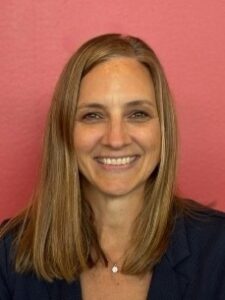
Academic Advisor Missy Moreau moreau2@wisc.edu | (608) 265-9585
215 N. Randall Avenue, Wendt Commons, First Floor
 Academic Advisor Sarah Van Berkum svanberkum@wisc.edu | (608) 890-4462
215 N. Randall Avenue, Wendt Commons, First Floor
Graduate Student Advising
 Student Service Coordinator Janna Pollock janna.pollock@wisc.edu | (608) 890-2756
ME 3182
Director of Development
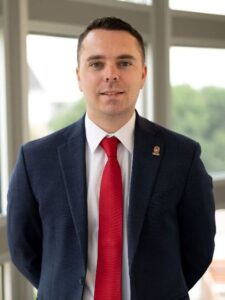 Director of Development Andrew Snyderman andrew.snyderman@supportuw.org | (608) 572-1588
Updating your faculty or staff profile
You may update your profile by clicking the “Update Profile” link located in the lower right corner of your profile page. For assistance, please contact MS&E Department Communication Specialist, Emma Conway.
Stay Current with MS&E
Keep up to date with the latest department announcements by connecting with us on social media. You can find MS&E on Facebook, Twitter, Instagram and LinkedIn.
News and announcements can also be found on the MS&E website.
Department and Lab Websites
If you have questions about the MS&E Department website, please contact the department Communication Specialist, Emma Conway.
To create a website for a specific research lab or facility, here are some options to get started:
- WiscWeb creates WordPress websites that are user-friendly so you can focus on content for your audience, without needing to worry about HTML and other web development lingo.
- DoIT offers a paid option for more application-centric websites with basic HTML or PHP scripting web hosting.
- Campus Cloud Infrastructure offers another paid option for shared, scalable virtual and physical server hosting.
Sharing news and announcements
From research milestones to awards, field trips with students, and more—we want to hear from you. Please contact Emma Conway, to share what’s new in your world with the Badger Engineering community.
Logos, letterhead, & branded PowerPoint templates
MS&E logos, letterhead, and PowerPoint templates can be accessed through Box with your UW NetID on the CoE communications page.
UW-Madison MS&E Swag
Headed to an event or conference? Have something special going on in class or looking for a small thank you gift? The Department is happy to provide branded swag for networking and community-building events, speaker gifts, etc. Contact Emma Conway, to learn more.
Business Cards
To receive business cards, please contact Chris Kailhofer with the following information: name, title, address, phone, email, office number, and any additional information you may want to be included such as website, etc.
Procedures for Payroll Onboarding
Backgrounds Checks
[complete prior to start date]
Background checks are required for most of our positions, including graduate assistant offers. An appointment will not be entered into the payroll system until the background check has been completed. The CBC (Criminal Background Check) is initiated by the payroll coordinator in the Department of Materials Science and Engineering through HireRight. The CBC begins with the future employee giving electronic consent to HireRight to begin the background check. The payroll coordinator is then notified that the CBC has been completed and enters the appointment into the payroll/HR system.
I-9 (Employment Verification)
[complete within 3 days of start date]
The I-9 must legally be completed within 3 days of an employee’s start date. This is mandated by the Federal Government-Immigration Services. If the I-9 is not completed within 3 days of the hire, the position must be terminated. In other words, the I-9 is a verification that the employee is who they say they are and that the employee is eligible to work in the USA. I-9’s are initiated by the payroll coordinator through HireRight.
Employee NetID and Wiscard
You’ll need a NetID to access campus computer applications and services. If you activate your NetID prior to your start date, you’ll be a step ahead on your first day. Contact your department payroll coordinator if you’d like to initiate Early Activation. Start at the NetID website—Click Here for NetID activation instructions.
Your official campus photo ID card—Wiscard—allows access to campus services such as libraries, recreation facilities, and purchases. Start at the Wiscard website—wiscard.wisc.edu—for activation instructions.
Required Payroll Paperwork
The following forms can be filled out online and submitted via self service in MyUW Online:
Benefits
[30-day deadline to enroll based on start date of appointment]
You may confirm that you have a benefits eligible appointment with the payroll and benefits coordinator. If you are eligible, we recommend that you attend a Benefits 101 Workshop through the campus benefits office.
Information on benefits, WRS, payroll forms, and general employee information can be found on the UW Human Resources website.
e-Benefits
Enrollment in UW-Madison’s benefit programs is online through eBenefits. It is important that you know what programs you want to enroll in and extremely important to have all of your personal information correct in the system prior to making your selections in the eBenefits system.
Pay Schedule
You can find the latest pay schedule here.
Additional Resources
- New Employee Orientation
- SHIP Insurance is required for all international students, unless they have a waiver.
- GLACIER helps determine tax residency, withholding rates, and income tax treaty eligibility for non-resident aliens.
- International Faculty and Staff Services for visa questions.
- International Student Services for visa questions.
RA Policy
The minimum appointment for an RA is 50%, unless the student will hold a concurrent appointment. The department guidelines for the stipend rate structure are established annually by the Graduate School and College of Engineering. MS&E follows a tiered rate structure with level 1 meeting the minimum stipend established by the Graduate School which is also used for PA appointments and standard TA appointments. Levels 2 and 3 are reserved for competitive offers comparable to the campus fellowship rate and peer institutions. The highest level in the rate structure for RAs will be comparable to the NSF fellowship. MS&E does not require an automatic salary increase to Level 3 when a student achieves dissertator status. When offered, it should be consistently offered to all students who achieve dissertator status in the research group.
TA Policy
There are limited openings for TAs each semester. Students interested in positions may contact Professor Donald Stone, Associate Chair of Graduate Studies.
Useful Links:
- Graduate Student Off-campus Internship/Work Form
- Salary Ranges and Minima
- Salary and Fringe Benefits Calculations for Unclassified Staff
- Leaves of Absences and Leave Benefits
- Sick Leave Policy – UPG 10
- Vacation, Holiday, and Catastrophic Leave Policy – UPG 9
If you have additional payroll/HR questions please contact:
Cheryl Harris
cjharris5@wisc.edu | (608) 262-1608
MSE 264
The University of Wisconsin-Madison is subject to State of Wisconsin purchasing statues and rules. You must follow policy when purchasing goods and services. Contact Julie Breitbach if you have any questions.
There are three ways to make a purchase:
- Through a contracted vendor at Shop@UW+
- From a contracted vendor not at Shop@UW+
- From a vendor not on contact
Foreign Vendors
All purchases from foreign vendors must be paid via wire transfer through Shop@UW+. Contact Julie Breitbach for processing.
Best judgement purchases
Best judgement purchases ($5000 or less) may be placed by Shop@UW requisition or by using your Pcard.
Simplified Bid Process
Simplified Bid Process is used for transactions between $5,000 and $50,000
Non-Competitive Purchase
Non-Competitive Purchase request may be used under $25,000 when available from only one source.
Procurment Specialist
Procurement Specialist must be used for sole source purchases over $25,000 or $50,000 from vendor not on contract
-
- Eric Thompson is currently the procurement manager for MS&E.
Purchasing and travel with a procard
Procards may no longer have designated users. If you need to purchase something and you do not have a procard, please use the links below and department staff will place your order. Please note that this service is checked during weekday business hours only. Please contact your PI with emergency purchase requests.
Forms
Purchasing: http://go.wisc.edu/mseppf
Helpful information:
- How to Make a Purchase
- Purchasing
- Shop@UW+ See Quick Links for Resources
- Search Contracts
- Simplified Bid Process
- Non-Competitive Purchase Request
- Pcard Purchases
If you have additional purchasing questions please contact:
Julie Breitbach | julie.breitbach@wisc.edu | (608) 265-5960| MSE 272
University of Wisconsin has strict travel and reimbursement policies. Contact Julie Breitbach if you have any questions.
Airfare
All airfares must be booked directly through Concur/Travel Inc. Use of third-party online travel sites such as Orbitz, Travelocity or directly with the airline is strictly prohibited and non-reimbursable.
Lodging
Lodging must be booked through Concur/Travel Inc. or through Conference/Event website. Airbnb is now allowable.
eReimbursements
eReimbursements must be filed within 90 days of the last date of travel.
Forms
Travel: http://go.wisc.edu/mseptf
Helpful information:
- Planning a Trip
- Complete Steps for Travel (with web links)
- How to Plan Travel
- Concur
- Driver Authorization
- Per diem Calculator
- eReimbursement
- Hosted/Business Meals
If you have additional travel questions please contact:
Julie Breitbach | julie.breitbach@wisc.edu | (608) 265-5960| MSE 272
All proposals, contracts, and agreements (including amendments and extensions) need to be routed through appropriate university offices (must start with MS&E’s Research Administration Office) to ensure compliance with Federal, State and UW regulations.
- Please note that the Office for Research and Sponsored Programs (RSP) has final signature authority on all extramural support.
MS&E Research Administrators (RAs) provide assistance with proposal preparation and submission before routing to RSP for approval and final submission.
- It is essential to notify the RA of upcoming submissions as soon as possible, preferably two weeks prior to the sponsor deadline. In some cases, pre-proposals may require a WISPER record for institutional signature, please work with your RA to verify the submission process.
- All proposals must be finalized and submitted to your MS&E research administrator at least 3 days prior to the sponsor deadline in order to meet the internal COE Research Services Office deadline. If you are not able to meet this deadline, you must request an extension from the COE Assistant Dean and include your RA on the email. Please refer to the COE Internal Proposal Deadline Policy for full details.
- OAR (Outside Activities Report) and COI (Conflict of Interest) Training must be completed and up to date prior to submitting any proposals.
- The National Center for Biotechnology Information through the NIH has created My NCBI to help manage your Bibliographies, Current and Pending, and Biosketch documents.
After receiving an award, MS&E RAs provide assistance in the award setup, management, and closeout processes, as well as assist you in submitting extensions and/or amendments.
Some common grant submission tools and resources are:
- WISPER: The internal UW system to route proposals, contracts, and agreements. The MS&E RA will create WISPER records and route them accordingly for approvals.
- CAYUSE: Web-based system used for electronic grants.gov submissions to federal agencies that provide adobe forms for the submission process (e.g. NIH, DOD, CDC, USDA, etc.)
- research.gov: Web-based system used for electronic NSF submissions.
- PAMS – Portfolio Analysis and Management System used to manage proposals, grants and reporting for Department of Energy. Principal Investigators must register in PAMS in order to receive funding from DOE.
Other useful resources include:
- Research Policies
- Includes: Animal Research Subjects, Data Security, Export Control, Human Research Subjects, Intellectual Property, Research Ethics and other policies.
- Effort Reporting and Certification
- Office of Research and Sponsored Programs
- Export Control
For additional questions regarding Research Administration, contact your MS&E Research Administrator, either Noelle Lawton or Brandon Denney.
Students and faculty may now reserve a conference room online by going to http://engr.ems.wisc.edu. For detailed instructions on how to make a reservation request, see: https://kb.wisc.edu/cae/page.php?id=60661. Conference room requests are approved by the appropriate staff in the building where the room is located.)
CAE Account Access
All College of Engineering employees have access to a Computer-Aided Engineering (CAE) account, which is different than your NetID. Your CAE account is needed for access to engineering-specific computer labs, software, and more.
Helpful CAE links you may need include activating your CAE account and recovering your username and password. For technical questions, contact the CAE help desk.
No-fee Software
UW-Madison Information Technology provides faculty, staff, and students with access to a variety of software packages at no cost through the Campus Software Library.
Building Keys: All faculty, staff and applicable students can complete the key request form through Key Lime. If you have additional questions regarding physical keys please contact Chris Kailhofer.
Building Access: All faculty, staff and students associated with Engineering will automatically be granted building access via your Wiscard. Students must be actively enrolled in the current semester’s engineering courses to be granted building access. Building access activation may take up to 48 hours after course enrollment or after a new Wiscard has been issued. More information can be found here.
Parking and bus passes are managed by Transportation Services.
Parking passes: To request a parking pass please click here.
Bus Passes: To request a bus pass please click here.
Please note if you choose the delivery option it may take up to two weeks.
All requests should be sent to the building manager, Chris Kailhofer. Please describe your maintenance issue and room number. In the event of an emergency. please call Facilities Planning & Management at (608) 263-3333.
If you have additional facilities questions please contact:
Chris Kailhofer
chris.kailhofer@wisc.edu | (608) 262-8175
MSE 201c
MS&E Safety
MS&E Safety Representative: Padma Gopalan
MS&E Safety Minimums:
-
- Make sure door cards are up to date. Emergency personnel must be confident of all hazards present when entering the room in the event of an emergency.
- Chemical Inventory: Be sure to keep an inventory of all chemicals present in lab.Download an inventory template.
- Have a lab specific safety plan or chemical hygiene plan.
- Laboratory’s must provide Personal Protective Equipment suitable for all the hazards present in the lab.
- Laboratory specific training: Training specialized for each lab must be provided and documented. Training must adequately inform researchers about the hazards of the processes, procedures, equipment, and materials which they are using and how to mitigate those hazards appropriately. More trainings available here
- Set time for lab clean up on regular basis.
Clean up resources:
Disposal Services
Laboratory Housekeeping
Wastes
Helpful Resources
College of Engineering Safety Website
Quick Links:
CoE Director for Safety: Vacant
CoE Safety Specialist: Jared Lanier, GSP
(608) 263-4658
- UW‐Police: Call 911 for any emergency (fire, medical, etc.) or 264‐COPS for non‐emergency situations
- Environment, Health & Safety Department
- Training courses offered through Learn@UW
- Chemical and Wastes: 608-265‐5000
- Ergonomics
- Facilities Planning and Management
- Radiation & Bio Safety: 608-265‐5000
- Risk management and liability insurances
- University Health Services: 608-265‐5600,
- Travel and international travel-Business Services Department
Hostile and Intimidating Behavior Liaisons
Point of contact liaisons for the College of Engineering
Workforce Relations
This office educates and coaches employees, administrators, managers and supervisors on a variety of workforce relations practices among a diverse population of the University community.
Ombuds Office
Guidance regarding workplace concerns
Employee Assistance Office
Confidential consultation services